Talk to it
Dictate in English, Korean or Khmer. The speech model runs on your computer, and replies can be read aloud.
Rex Desk runs on your own computer. Agents work on your projects, ask before risky steps, and show proof.
Rex Desk never asks for or stores those sign-ins.
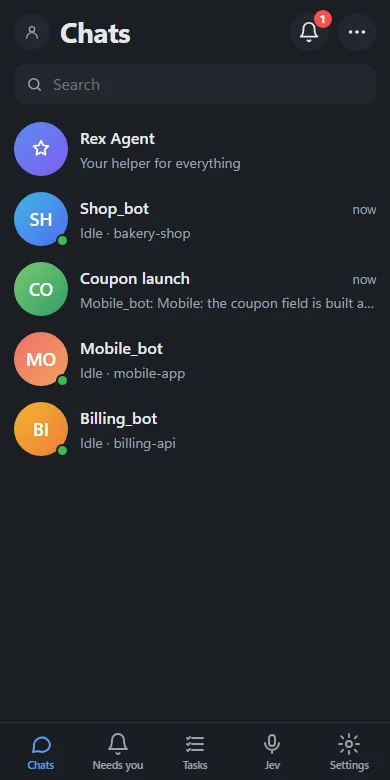
These clips are Rex Desk itself, running made-up bakery projects. Nothing is drawn or staged in a design tool.
Interactive demo
A small Rex Desk that runs in this page. It is a demo with scripted agents, so nothing touches your computer.

Dictate in English, Korean or Khmer. The speech model runs on your computer, and replies can be read aloud.
Scan a QR code and open Rex Desk from your phone over your private Tailscale network.
Say or type what you want done: open an app, change the volume, lock the screen.
When a chat is nearly full, the agent writes itself a handoff note and continues in a fresh session.
A Worktrees tab shows the branches and changed files each agent works in.
Optional. One click copies your workspace to your own free Turso database.
Example stories with made-up projects.
Claude Code, Codex or Gemini. Sign in to it once.
Agents need it to work on your projects.
An email and a passphrase lock your workspace on this computer.
It checks your AI tools and lets you add your project folders.
The main agent reads each project and creates a specialist agent for it.
Rex Desk is a local app. There is no Rex Desk cloud that holds your code.
127.0.0.1Chats, tasks and settings live in a folder on your computer. Keys and tokens are encrypted.
The server answers on 127.0.0.1 only. Your phone reaches it through your private Tailscale network.
Each account on a computer has its own workspace. Other accounts cannot read it.
What you send to an agent goes to the AI service you picked for it, and nowhere else.
Claude Code, Codex (ChatGPT) and Gemini through Google's Antigravity CLI. You can switch an agent between them and pick the model.
No. Rex Desk uses the AI tools you are already signed in to on your computer. It never asks for or stores those sign-ins.
Rex Desk keeps everything on your computer. What you send to an agent goes to the AI service you chose for that agent.
Windows 10 and 11 (64-bit) and macOS on Apple Silicon.
By default agents ask before risky steps, and the question shows as a card in the chat. You can turn on Dangerous mode to let them run without asking.
Signed installers are being prepared. Join the waiting list at the bottom of this page and we will email you when they are ready. Until then you can run Rex Desk from source on GitHub.
Signed installers for Windows and macOS are on the way. Join the waiting list and we will email you once, when they are ready.